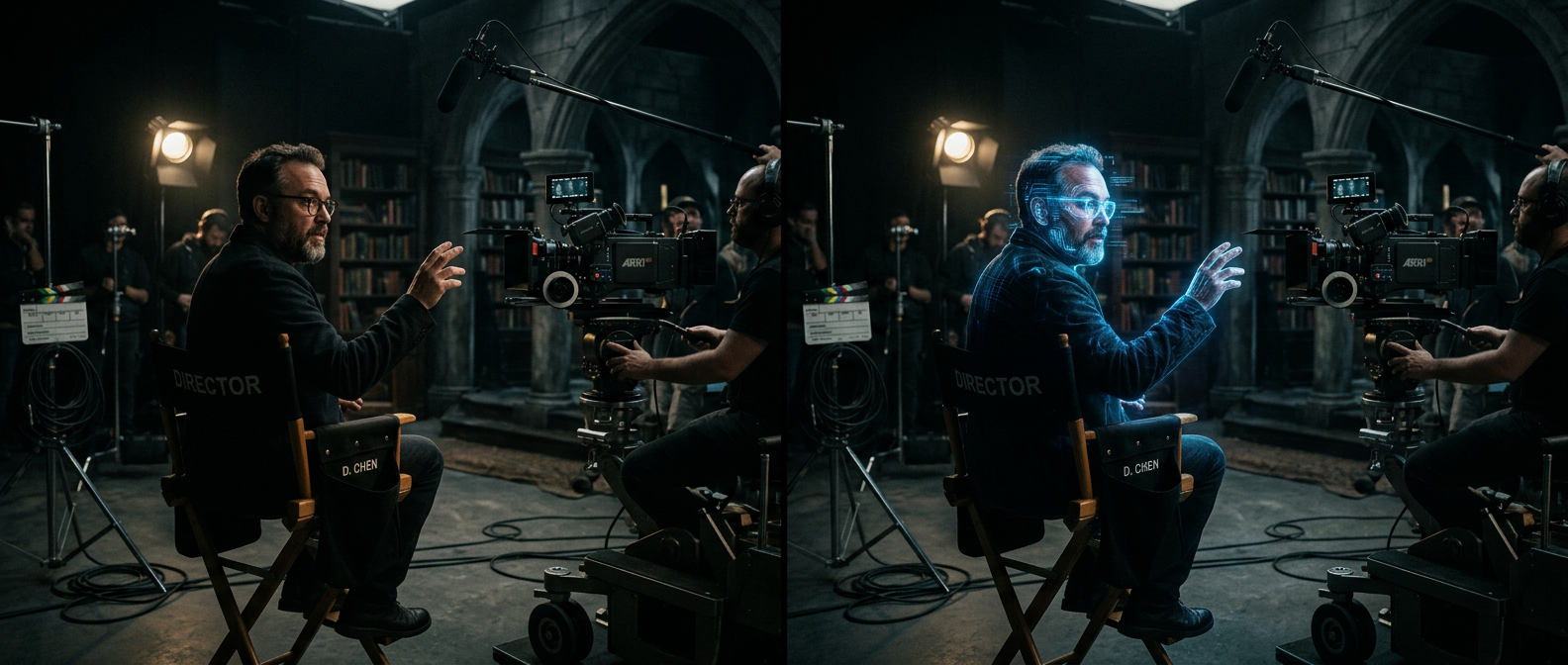
The character had been terrorizing audiences for thirty years. He was written as early 30s, relentless, untouchable — but the actor stepping back into the role was now 58. The studio did not reach for prosthetics or a body double. They used AI face swap, and when the film dropped, nobody noticed the seams.
AI face swap is the technology that seamlessly replaces one person's face with another in photos or videos, using deep learning to match lighting, skin tone, facial contours, and motion so the result looks indistinguishable from original footage. What started as a research curiosity in 2017 is now a standard production tool across film studios, marketing agencies, social media platforms, and solo creator workflows.
Understanding how it actually works — and where it has limits — separates creators who get great results from those who keep generating uncanny mismatches.
The GAN Engine: A Forger and a Critic in a Loop
The technology that made modern AI face swap possible is called a Generative Adversarial Network (GAN). To understand it, picture two characters sharing a studio.
One is a master forger. Her entire job is to take a source face and paste it convincingly onto a target body — matching the jawline, skin tone, and shadows until the result looks original. The other is a meticulous art critic. His entire job is to look at everything the forger produces and declare whether it's real or fake.
Here is the key: they train each other. Every time the critic spots a fake, the forger uses that feedback to improve. Every time the forger produces something the critic approves, the critic recalibrates to catch subtler flaws. Run this loop for millions of iterations across thousands of face images and the forger — the generator network — becomes extraordinarily good at producing realistic face swaps.
Technically, the generator takes a source face and produces a swapped output, while the discriminator classifies images as "real" or "generated." The generator's loss function is designed to minimize the discriminator's ability to tell them apart. The result: photorealistic output that early versions of the technology could never approach.
Three Technical Steps Behind Every Face Swap
GANs provide the generation engine, but three additional steps run underneath every swap to make it spatially coherent.
Facial landmark detection maps 68 to 478 keypoints on a face — the corners of the eyes, the tip of the nose, the edge of the lips, the curve of the jaw. Think of it like placing invisible pins on a mask so the AI always knows exactly where each feature lives, even when the head turns or tilts.
3D face reconstruction takes those 2D landmark points and estimates the actual three-dimensional geometry of the face — the depth of the eye socket, the protrusion of the cheekbones, the angle of the chin. Without this step, a face swap would look flat when the head turns even slightly to one side.
Texture mapping and blending is the final pass: transferring the skin texture, pores, and color of the source face onto the target geometry, then blending the edges so the hairline and neck transitions look natural rather than pasted.
Modern tools run all three steps in real time for video, re-running landmark detection on every frame to handle motion, lighting shifts, and perspective changes without drifting.
Diffusion Models: The Newer Approach
Since 2022, a second generation of AI face swap technology has emerged using diffusion models — the same family powering tools like Stable Diffusion and DALL·E. Instead of a generator-versus-discriminator battle, diffusion models work by learning to reverse a noise-adding process.
Imagine showing the model thousands of photos of real faces, then gradually adding random noise to each one until only static remains. The model learns the reverse journey: starting from noise and reconstructing a coherent face. When applied to face swap, diffusion models can achieve more nuanced skin texture, better handling of unusual lighting, and more believable hair boundary transitions than first-generation GAN approaches.
Many of the best-performing tools in 2026 use hybrid architectures — GAN-based video tracking for temporal consistency (so the face doesn't flicker between frames) layered with diffusion-based inpainting for edge quality and skin realism.
What Creators Are Actually Using It For
The entertainment industry uses AI face swap routinely for de-aging actors (digitally reversing decades of aging for flashback sequences), seamless stunt double replacement (swapping a stunt performer's face with the lead actor's mid-action), and digitally resurrecting historical figures for documentary content.
Marketing teams use it for localization — shooting one ad campaign and swapping the talent's face for culturally relevant local talent rather than filming 12 separate versions. A cosmetics brand demonstrating a lip color can swap the model across different skin tones without a second shoot.
Social media creators use it for everything from face-swapping into trending video templates to building comedic content around celebrity lookalikes and historical mashups. For short-form content on TikTok and Instagram Reels, face swap is now a standard creative shortcut that any creator can access with a free account.
Privacy-sensitive applications have emerged too: journalists and documentary filmmakers protecting whistleblower identities while preserving visual storytelling; researchers creating anonymized video training datasets; healthcare teams building realistic simulation scenarios for clinical training without using patients' real faces.
AI Face Swap Tools at a Glance (April 2026)
| Tool | Best For | Free Tier | Video Support | Watermark-Free |
|---|---|---|---|---|
| Magic Hour | Real video, full workflow | 400 credits | Yes | Yes (free) |
| Akool | Enterprise, multi-face, API | 720p only | Yes | No (free) |
| FaceSwapper.ai | Quick photo swap, no login | Unlimited | No | Yes |
| Reface | Viral mobile templates | Limited | Yes | No |
| PixVerse | Stylized video with keyframes | 90+60 credits/day | Yes | No |
| Higgsfield | Face swap + lip sync bundle | 10 credits/day | Yes | No |
| DeepFaceLab | Pro deepfake, open source | Free | Yes | Yes |
| Pica AI | Multi-face photos + headshots | 4 credits | Yes (slow) | No |
Pricing verified from official sources, April 2026.
From the Creative Canvas Side
For creators who work not with a single face-swap button but within a broader creative production environment, the workflow looks different. Platforms like Framia.pro are built around an intelligent canvas where different AI models — image generators, video models, and editing agents — cooperate on a single timeline. Instead of exporting a clip to a dedicated face swap app and reimporting it, editors can work within an agent-driven interface that handles image-level manipulation, retouching, and layer-based editing in one place.
The distinction matters for production-heavy use cases: a music video requiring consistent character appearance across 40 shots, or an ad campaign that needs a talent's look maintained across photo and video formats simultaneously. The canvas approach keeps all edits connected rather than scattering assets across five different export-and-reimport cycles.
How to Do an AI Face Swap: A 5-Step Workflow
Step 1: Choose the right source photo. Use a high-resolution, front-facing image with even lighting, one face clearly visible, and no obstructions — sunglasses, hats, and heavy shadows are the most common causes of poor output.
Step 2: Prepare the target media. For video, select footage where the target face is clearly visible for most of the clip, with head movement no more than about 45 degrees from front-facing. Dramatic side profiles and fast camera pans will stress any face swap system.
Step 3: Run the swap. Upload to your chosen tool. Most web-based platforms process in seconds for photos and a few minutes for short video clips. Open-source tools like DeepFaceLab can take hours to days for high-quality video depending on GPU hardware and training time.
Step 4: Evaluate the edges. Check for skin tone mismatch at the jawline and neck, unnatural blinking, and hair boundary artifacts. These are the three most common failure points and are usually visible within the first five seconds of a video swap.
Step 5: Refine or re-run. If results are poor, try a different source photo angle or adjust the face alignment settings if the tool exposes them. Most improvements come from better input rather than different tools.
The Ethics Line Every Creator Should Know
Face swap is a tool with a clear ethical line: consent.
Swapping faces on content you own, or using a model who has explicitly consented to the use, is legal for commercial and personal use in most jurisdictions (as of April 2026). Problems arise when face swap is used non-consensually — particularly for explicit content or for making someone appear to say or do something they did not. Laws covering synthetic media and non-consensual deepfakes are expanding rapidly across the EU, US states, and the UK. Several US states have passed specific deepfake disclosure laws requiring synthetic media to be labeled (as of early 2026).
For published content, best practice is: get written consent, label synthetic media where required, and be prepared to provide provenance documentation if the content is questioned.
Detecting face-swapped content is getting harder, but not impossible. Look for unnatural blinking patterns, lighting mismatches between face and background, edge artifacts near the hairline, and audio that subtly doesn't sync with lip movement.
FAQ
What is AI face swap and how does it work?
AI face swap is a deep learning technique that replaces one person's face with another in photos or videos while preserving lighting, skin tone, and motion. It works by using Generative Adversarial Networks (GANs) or diffusion models to detect facial landmarks, reconstruct 3D face geometry, and blend the source face seamlessly onto the target. The result looks realistic because the AI has learned from millions of real face images what a natural swap should look like.
Is AI face swap the same as a deepfake?
They use overlapping technology, but the terms describe different things. Face swap refers to the technical act of replacing a face — which can be done for clearly creative or entertainment purposes with consent. "Deepfake" typically describes non-consensual or deceptive synthetic media created to mislead. A movie studio de-aging an actor is a face swap; fabricating a politician's speech is a deepfake. Intent and consent are what separate them legally and ethically.
How accurate is AI face swap in 2026?
Modern AI face swap is accurate enough to fool casual viewers on well-prepared inputs — clean source photos, front-facing angles, good lighting. Professional tools like DeepFaceLab or Magic Hour can produce results indistinguishable from real footage when given optimal inputs. Results degrade on extreme angles (beyond 60 degrees from front-facing), heavy occlusion, or low-resolution source images. Expect 80–90% quality on ideal inputs; expect noticeable artifacts on challenging footage.
Is using AI face swap legal?
For content you own or have licensed rights to, face swap is legal in most jurisdictions for creative, commercial, and personal use (as of April 2026). Legal issues arise when used without consent — particularly for explicit content, political manipulation, or defamation. At least 17 US states have enacted deepfake-specific legislation as of early 2026, and more are pending. Always obtain written consent from anyone whose face appears in published synthetic content.
What makes a good source photo for AI face swap?
The best source photo is high-resolution (at least 512×512 pixels, ideally 1024×1024 or higher), front-facing, with even natural or studio lighting, one face clearly visible, no glasses or hats, and a neutral or lightly smiling expression. Poor lighting and partial occlusion are the two factors that cause the most failures across all tools tested.
The gap between a clunky early face swap and a seamless de-aging effect used in major studio productions comes down to the quality of the underlying model and the quality of the inputs you give it. The technology has made that ceiling far easier to reach — what used to require a VFX team with weeks of rendering time can now happen in minutes on a browser. If you want to experiment with AI-powered creative editing in a unified canvas environment, Framia.pro is worth exploring.